
What would you set up yourself or hire?
A phone on a tripod, an instant camera beside an album and a staffed service involve different amounts of work. Start with the photos and keepsakes you want.
| Setup and example | Keepsake | You arrange |
|---|---|---|
| DIY phone setup: your phone on a tripod | Digital photos | Lighting, instructions and collecting the files |
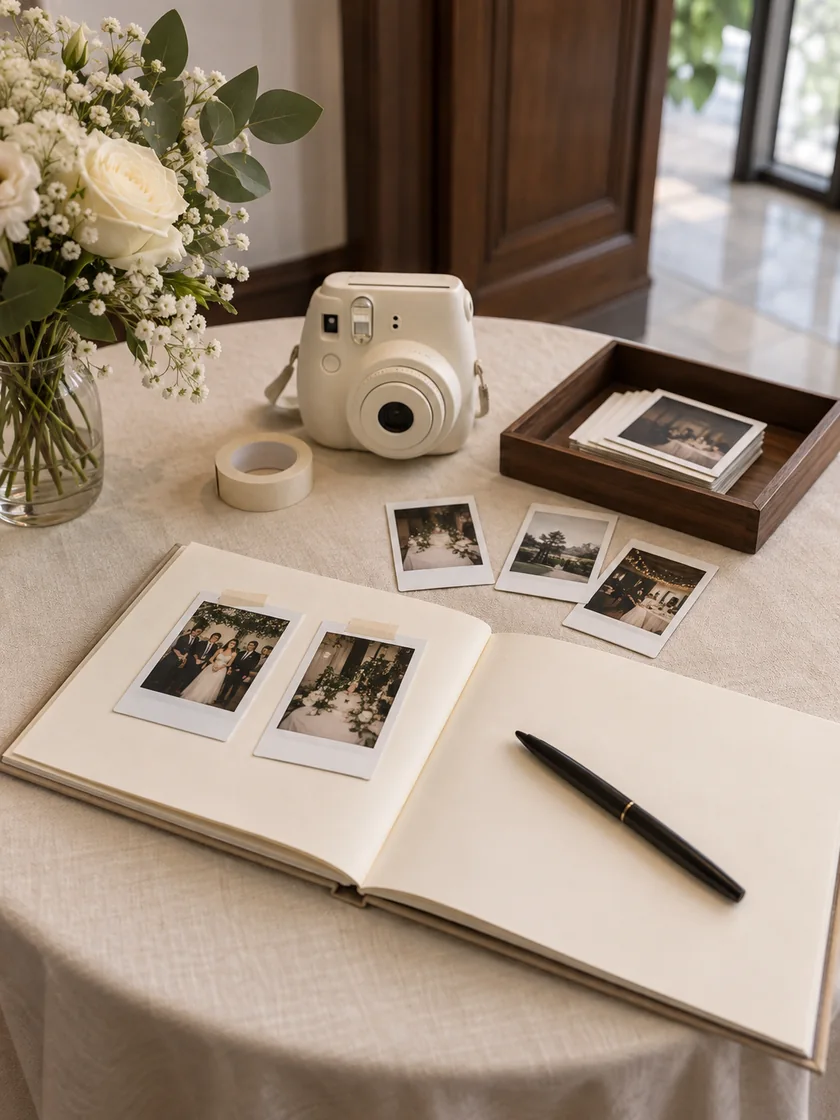
| DIY instant-camera station: Fujifilm Instax mini 12 | One physical print per shot | Film, batteries, camera help and who keeps each print |
| DIY printing station: a phone with a Canon SELPHY CP1500 | Prints from digital photos | Connections, supplies, extra copies and saving files |
| Staffed conventional booth: iSnap | Colour prints and digital copies | Design and venue details; supplier operates the booth |
| Receipt photo booth and digital guestbook: Monotone | Black-and-white receipts and digital guestbook | Design, venue and copy agreement; Monotone operates printing |
For a tripod setup, decide whose phone stays there, how guests trigger the camera and how they receive their photos. A phone you need for calls or payments during the reception is a poor choice for the station.
What does DIY actually cost?
Budget for what you need to buy or rent, plus supplies, transport and any paid help. Equipment you already own or can borrow reduces the amount you need to spend.
For a setup that prints from a phone, Canon's SELPHY CP1500 plus RP108 bundle was listed at S$249 on 11 September 2026, with the promotion running until 30 September.
- Camera and printing equipment: Purchase or rental, batteries, cables and other necessary accessories.
- Tripod, light and backdrop: What your test photos show you need.
- Film or paper and ink: Guest copies, album copies, test shots and reprints.
- Album, signs and photo sharing: Materials and any software or sharing-service fee.
- Transport: Delivery, collection and equipment returns.
- Paid help: Setup, operation or pack-down.
The printer bundle is an equipment example, not the total price of a wedding setup. Add the supplies and help your plan needs before comparing it with a staffed service.
What does hiring take off your hands?
Hiring can take setup, guest assistance, printing and pack-down off your wedding party's hands. Equipment rental without an attendant leaves you responsible for running it, so compare the staffing as well as the hardware.
For example, iSnap's wedding package listed S$600 for three hours, an assistant, custom borders, backdrop options, guest copies and digital delivery on 11 September 2026. Ask for the current total and inclusions for your date and venue.
Monotone for weddings offers a different keepsake: black-and-white photo receipts and a digital guestbook. Guests take photos for the guestbook on their own phones and can add an optional note or drawing. An operator handles the agreed printing and collection setup.
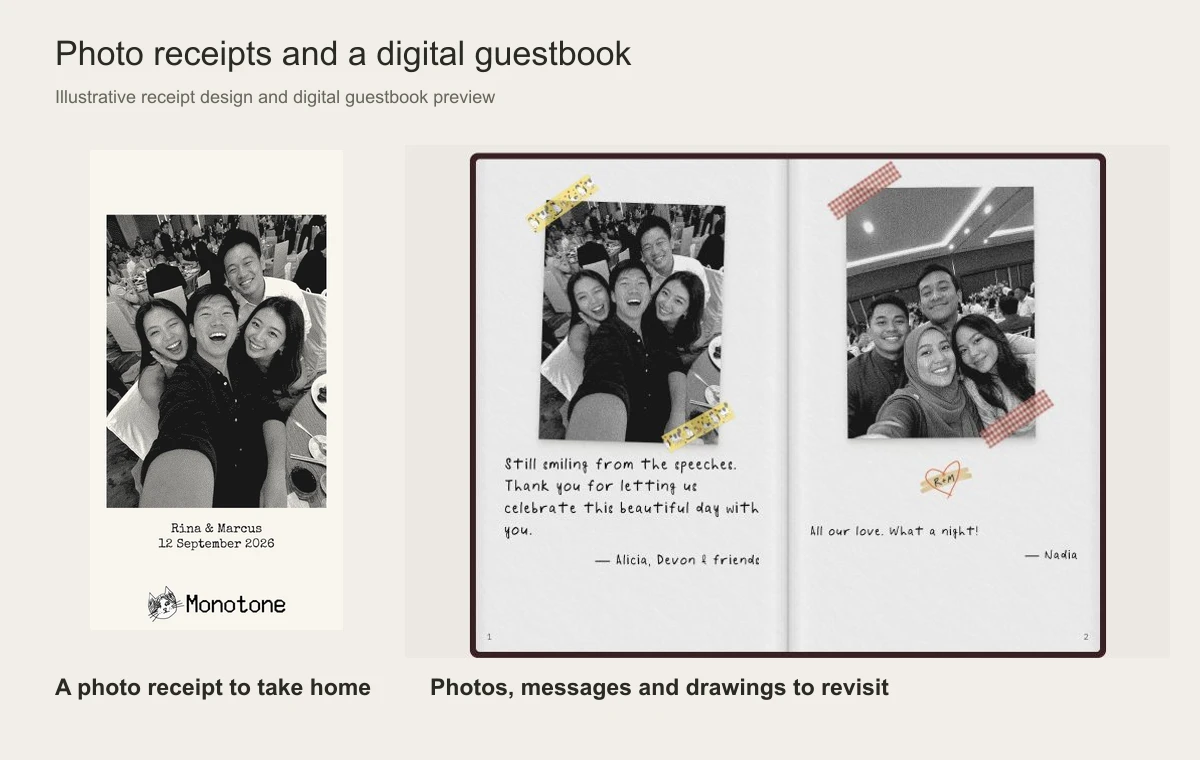
Explore photo receipt designs and customisation to see how your names and artwork can become part of the print. Choose a conventional booth if you want controlled lighting, a backdrop or colour photo-paper prints.
The photo booth price comparison explains how to compare hours, staff, prints and digital files. Use the same requirements for each quote so you can see what hiring adds to your own setup.
How many prints should you budget for?
Decide whether each group gets one print or each person gets a copy, and whether you want another for your album.
For example, 40 photos with two copies each need 80 prints, plus spare supplies for tests and retakes. With an analogue instant camera, each copy requires a separate shot.
If you want guests to add prints to an album, the photo guestbook setup guide covers page space, mounting supplies and instructions.
Who will help while everyone else is celebrating?
A friend helping with photos may also be giving a speech or joining family portraits. Agree when they can help and who covers any gaps.
- Before the reception: set up and test the equipment.
- During it: explain the camera, replace supplies and handle problems.
- Afterwards: collect prints, save files and pack everything away.
If nobody can stay available when guests are using it, simplify the setup or hire an attendant. Leaving a camera and spare film on a table still leaves someone responsible when the film runs out.
What should you test before deciding?
Ask someone unfamiliar with the setup to try it, using your instructions and lighting similar to the venue. Check four things:
- Do you like the photos of both couples and larger groups?
- Can guests take a photo and get their copies without repeated help?
- Can your helper refill supplies and fix a lost connection?
- For a digital setup, can you retrieve the saved photos afterwards?
If you like the result and the work feels manageable, DIY may suit you. If not, try a simpler format or compare staffed services. Still unsure whether you need one? Consider whether a wedding photo booth is worth it.
More about DIY photo booths
Can we design the print ourselves and still hire a booth?
Some suppliers accept customer artwork. Ask for the template, file requirements and deadline. You can make the design personal while leaving operation to someone else.
Planning an event?
Get in touch for availability and pricing.
Contact usSee Monotone for weddings